Full-screen alerts on every staff computer, and a Get help button on every desk
Desktop Alerts puts a lockdown, an evacuation or any alert you set up in front of every member of staff at once, whether they are in a classroom, in an office or on reception. Staff acknowledge the alert, say if they are safe and ask for help without leaving the room.
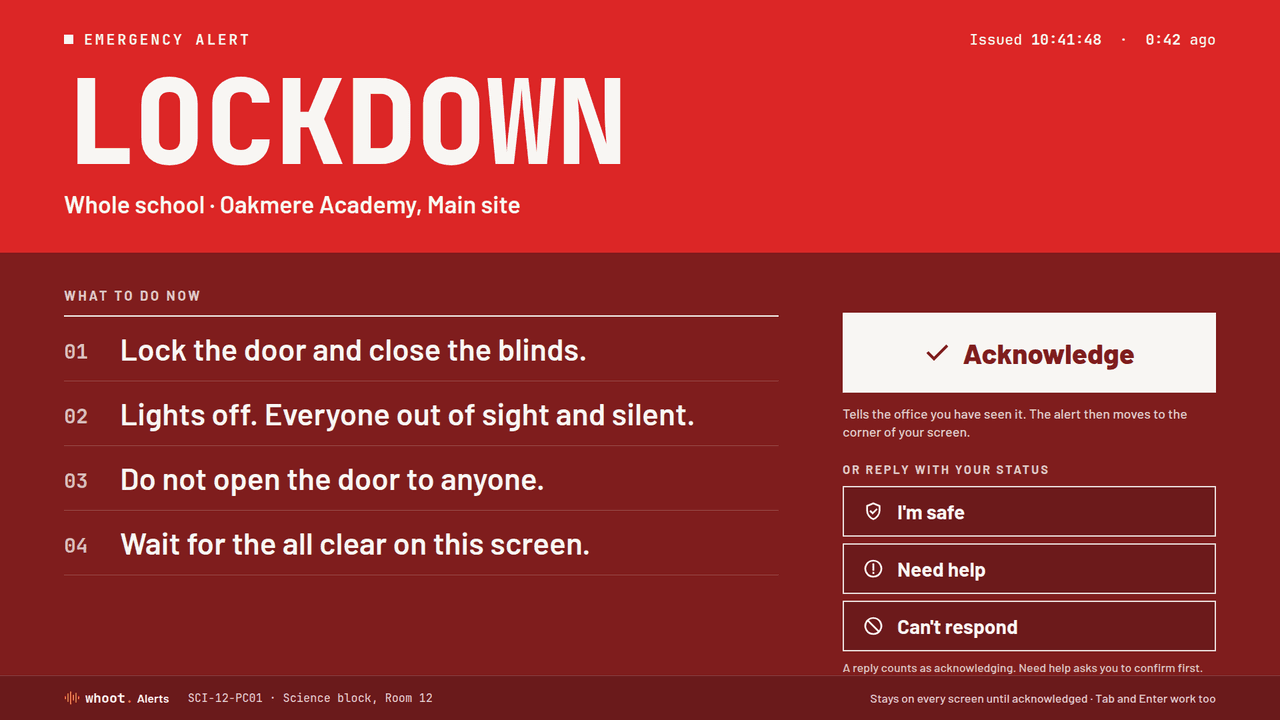
The alert fills the whole screen
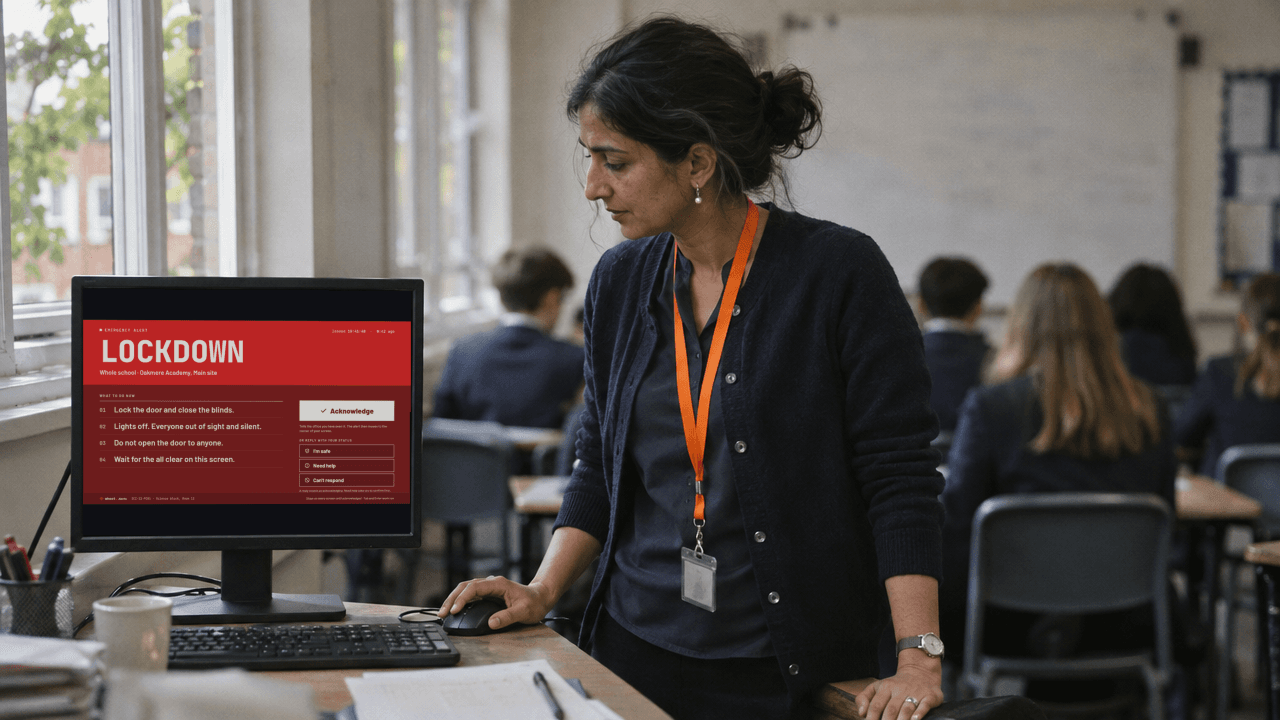
The alert opens on top of a presentation, a video or a full-screen app, on every display connected to the computer, and an alarm sounds until someone responds. It sets out what to do in numbered steps and stays on screen until a member of staff acknowledges it.
- On every connected display
- An alarm sounds for up to three minutes, or until the alert is acknowledged
- A discreet card on a projector or a shared screen
- Drills and tests are shown in amber, so nobody mistakes them for a real alert
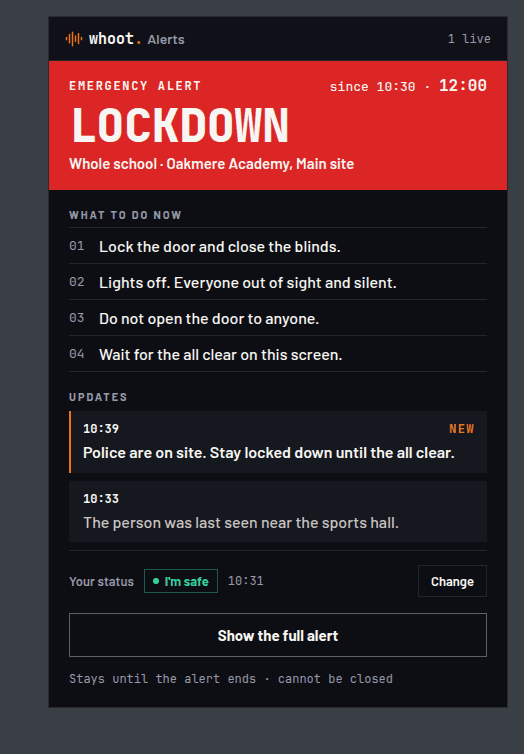
Staff reply from their screen
Once someone presses Acknowledge, the alert moves to a panel in the corner of the screen, with the steps and every update as it is sent. Each member of staff can reply I’m safe, Need help or Can’t respond, and the people running the incident can see who has replied and who has not.
- Updates arrive in the panel as soon as they are sent
- Every reply shows who sent it and when
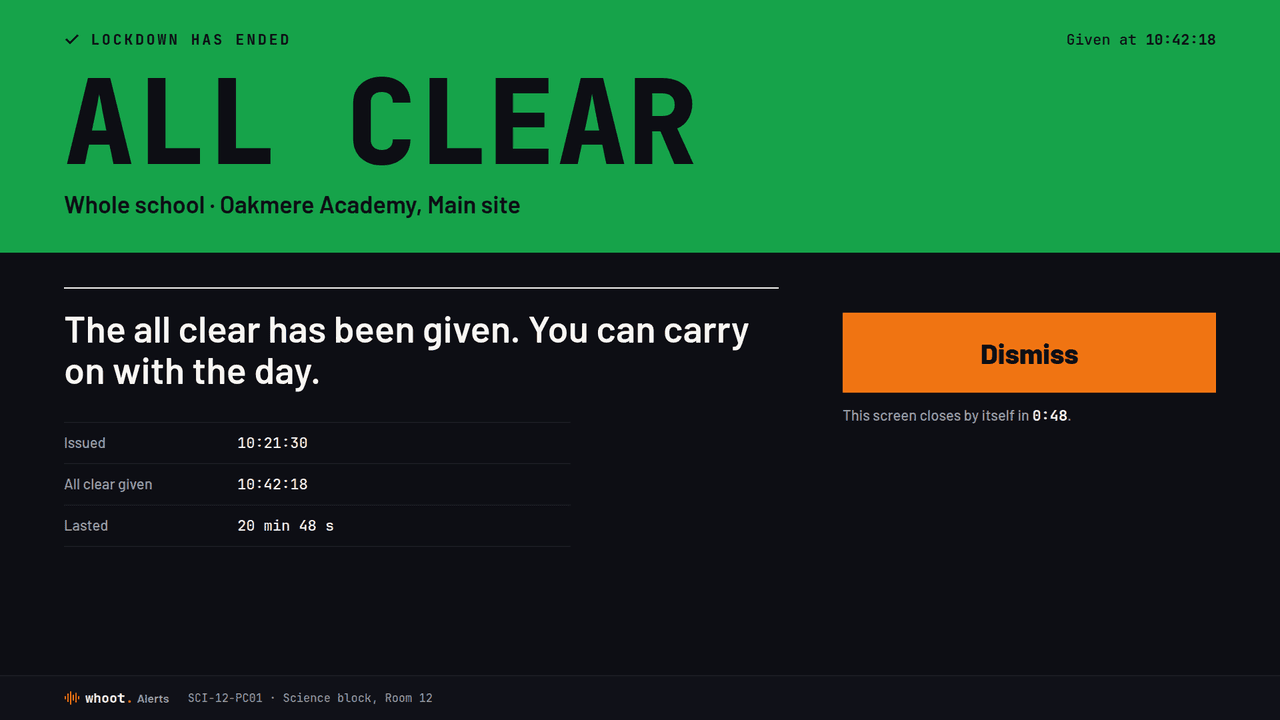
- The all clear closes the alert on every computer
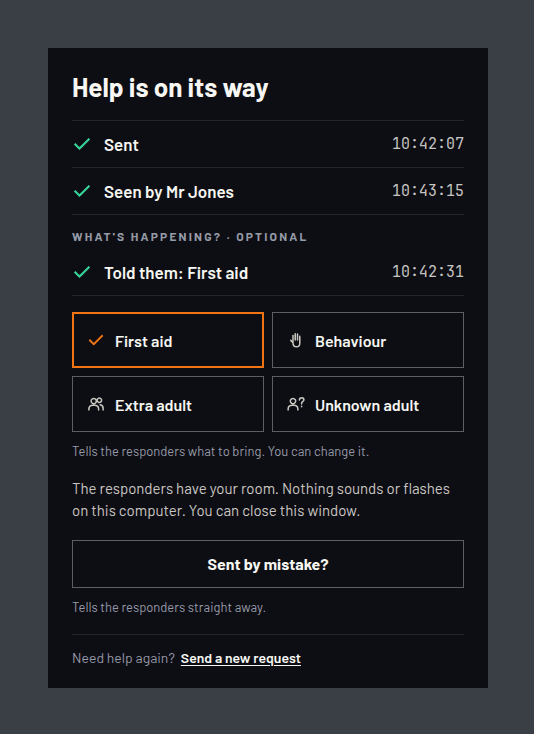
Get help from any room
A teacher who needs another adult in the room, or a receptionist with a difficult visitor, presses Get help or uses a keyboard shortcut, and the responders see which room the request came from. The person asking can see that the request has been sent and who has seen it, and can add what they need. Nothing sounds or flashes in the room the request came from.
- Each request includes the room and the computer
- If the first route is blocked, the request is sent another way
- Only staff accounts can send a request
Your IT team deploys the apps like any other managed software
There is a signed Windows installer for Intune or Group Policy, a notarised Mac package for Jamf and a Chrome extension installed from Google Admin. The apps use ordinary HTTPS on port 443, so they work through school and corporate web filters and proxies without any firewall changes.
- Windows, macOS and ChromeOS
- Your proxy and certificate inspection keep working
- The dashboard shows the coverage and health of every computer
What every licence includes
You need one licence for each site. At education prices, a licence covers one named school, or one campus in higher education. Staff accounts are free.
- Windows, Mac and ChromeOS apps for every staff computer
- Get help from any desk, with the room name included
- A discreet display on projectors and shared screens
- Declare an alert from the dashboard or a phone
- Unlimited staff accounts
- Coverage and health checks for every computer
- A record of every alert, reply and request
- The whoot. phone apps for the people who respond
From £50 a site a month
Schools, colleges and universities buy Desktop Alerts on its own at education prices: £50 a month per primary school, £120 per secondary school and £250 per higher education campus, on a 1-year or 3-year term invoiced annually in advance. Any other site is £250 a month, added to Venue Management or Venue Voice on the same bill. Ex VAT.
Frequently asked questions
Can a desktop raise a lockdown?
Can pupils or the public see the alert or use Get help?
Do the apps need a firewall change?
How is Desktop Alerts priced?
The other products
Each product works on its own. If you use more than one, they share a single dashboard and keep one record of everything that happens.
See an alert on a staff computer
In a 30-minute walkthrough on a live workspace, we declare a lockdown from a phone, show it on a classroom computer, answer it and stand it down.
Or call 020 3856 8700.